> ## Documentation Index
> Fetch the complete documentation index at: https://discord-markm-docs-lobby-membership-disconnect.mintlify.site/llms.txt
> Use this file to discover all available pages before exploring further.
# Managing Your Developer Team
> Learn how to create and manage developer teams for collaborative development.
export const ManualAnchor = ({id}) => {
return ;
};
Teams are groups of developers (or other Discord users) who want to collaborate and share access to an app's configuration, management, and payout settings. Go team(s)!
## Creating a Team
To create or be a member on a team, you must [enable 2FA for your Discord account](https://support.discord.com/hc/en-us/articles/219576828-Setting-up-Two-Factor-Authentication). After you have 2FA enabled, create a team by navigating to the [Teams page](https://discord.com/developers/teams) then clicking the "New Team" button.
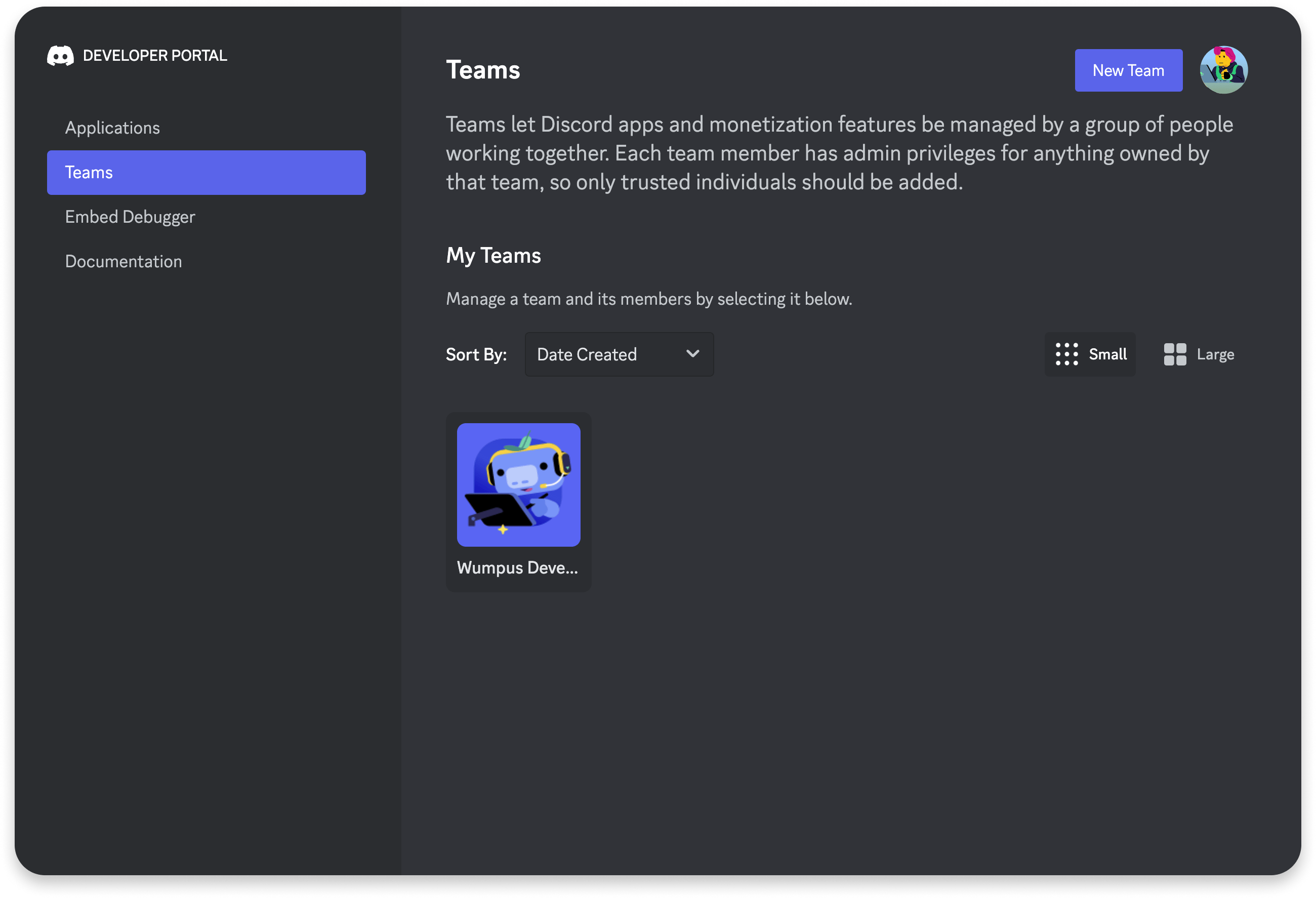 Once you create a team, you'll land on the **Team Information** page where you can fill out details and start inviting other Discord users to join your team. Since users added to a team have access to any apps that team owns, use caution when adding new team members.
Only the team Owner and team Admins can invite or remove additional users.
## Adding Apps to a Team
Once your team is set up, you can create or transfer apps that will be owned by the team. Teams can have a maximum of 75 apps.
### Creating an App
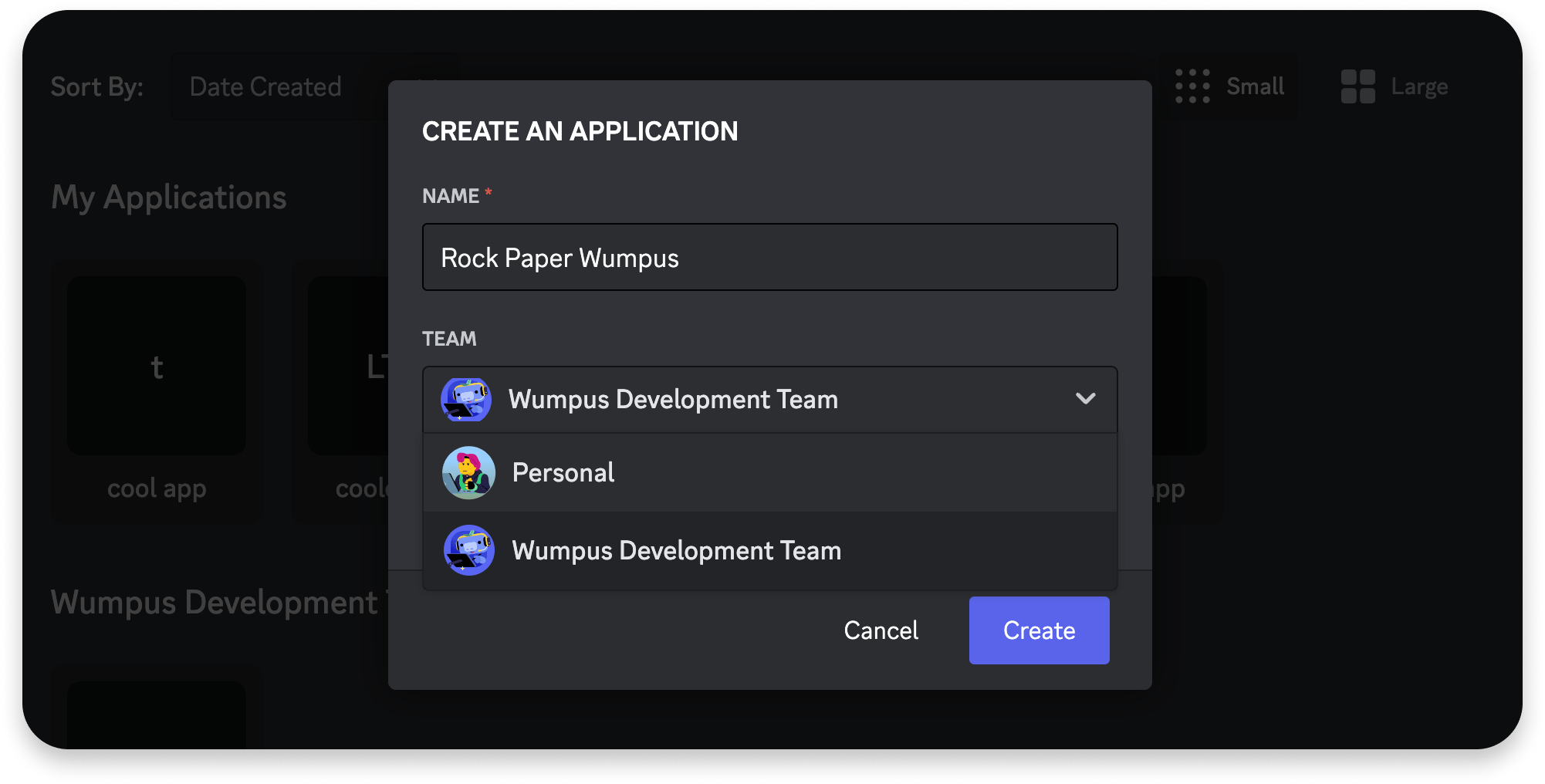
To create a new app that belongs to a team, select the team from the **Team** dropdown in the app creation modal. If you want to keep the app under your own account's ownership, choose `Personal`:
Once you create a team, you'll land on the **Team Information** page where you can fill out details and start inviting other Discord users to join your team. Since users added to a team have access to any apps that team owns, use caution when adding new team members.
Only the team Owner and team Admins can invite or remove additional users.
## Adding Apps to a Team
Once your team is set up, you can create or transfer apps that will be owned by the team. Teams can have a maximum of 75 apps.
### Creating an App
To create a new app that belongs to a team, select the team from the **Team** dropdown in the app creation modal. If you want to keep the app under your own account's ownership, choose `Personal`:
 ### Transferring an App
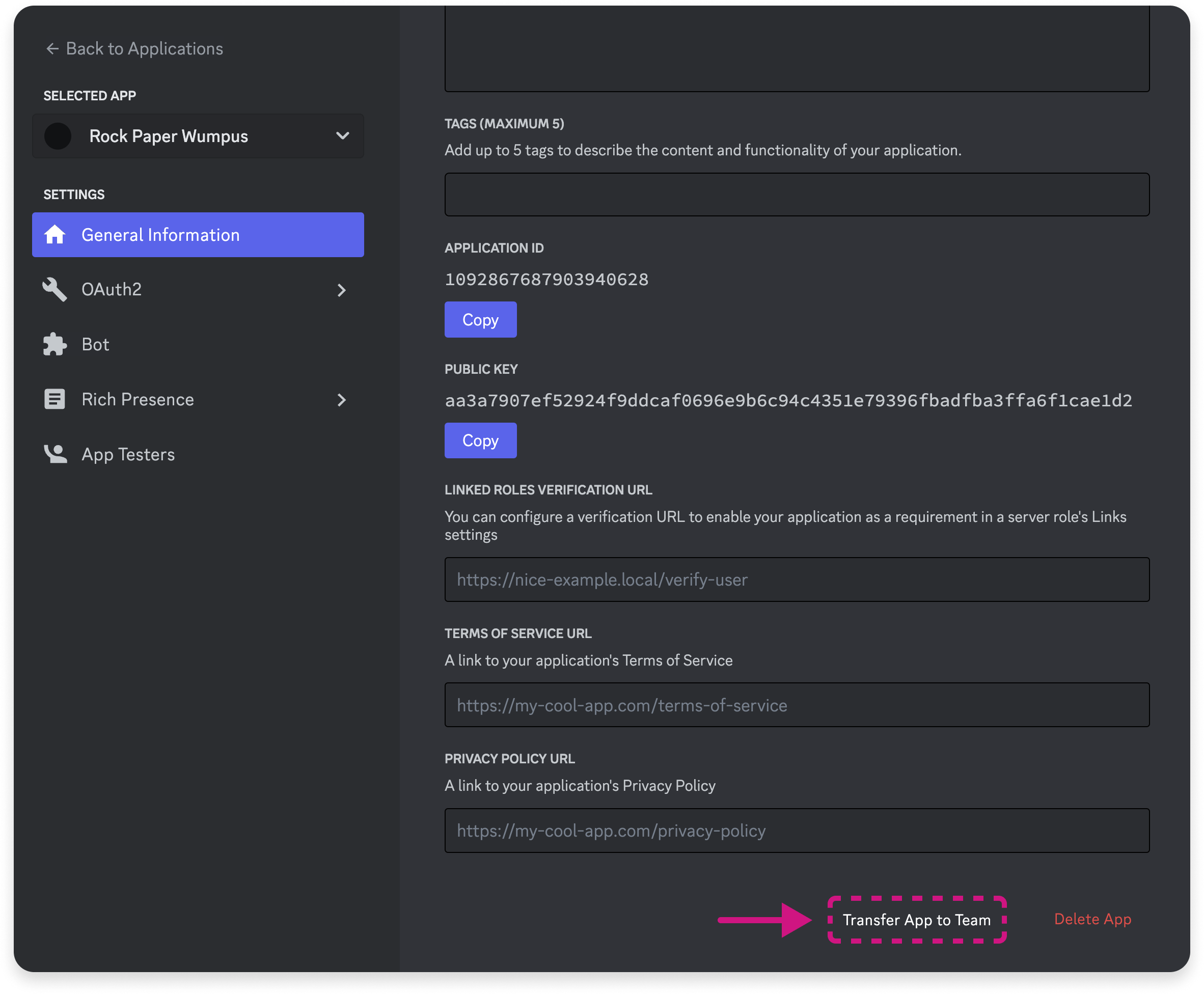
To transfer an existing app to a team, navigate to the [Application](https://discord.com/developers/applications) that you want to transfer. At the bottom of the app's [**General Information** page](https://discord.com/developers/applications/select/information), click "Transfer App to Team".
Once an app has been transferred to a team, it *cannot* be transferred back.
### Transferring an App
To transfer an existing app to a team, navigate to the [Application](https://discord.com/developers/applications) that you want to transfer. At the bottom of the app's [**General Information** page](https://discord.com/developers/applications/select/information), click "Transfer App to Team".
Once an app has been transferred to a team, it *cannot* be transferred back.
 ## Team Member Roles
Team members can be one of four roles (owner, admin, developer, and read-only), and each role inherits the access of those below it. Roles for team members can be configured under **Team Members** in a team's settings.
###### Team Member Role Types
| Role Name | Value | Description |
| - | - | - |
| Owner\* | | Owners are the most permissible role, and can take destructive, irreversible actions like deleting team-owned apps or the team itself. Teams are limited to 1 owner. |
| Admin | admin | Admins have similar access as owners, except they cannot take destructive actions on the team or team-owned apps. |
| Developer | developer | Developers can access information about team-owned apps, like the client secret or public key. They can also take limited actions on team-owned apps, like configuring interaction endpoints or resetting the bot token. Members with the Developer role *cannot* manage the team or its members, or take destructive actions on team-owned apps. |
| Read-only | read\_only | Read-only members can access information about a team and any team-owned apps. Some examples include getting the IDs of applications and exporting payout records. Members can also invite bots associated with team-owned apps that are marked private. |
\* The owner role is not represented in the `role` field on the [team member object](/developers/topics/teams#data-models-team-member-object). Instead, the `owner_user_id` field on the [team object](/developers/topics/teams#data-models-team-object) should be used to identify which user has the owner role for the team.
## Data Models
###### Team Object
| field | type | description |
| - | - | - |
| icon | ?string | Hash of the image of the team's icon |
| id | snowflake | Unique ID of the team |
| members | array of [team member](/developers/topics/teams#data-models-team-member-object) objects | Members of the team |
| name | string | Name of the team |
| owner\_user\_id | snowflake | User ID of the current team owner |
###### Team Member Object
| field | type | description |
| - | - | - |
| membership\_state | integer | User's [membership state](/developers/topics/teams#data-models-membership-state-enum) on the team |
| team\_id | snowflake | ID of the parent team of which they are a member |
| user | [user](/developers/resources/user#user-object) object | User object of the team member |
| role | string | [Role](/developers/topics/teams#team-member-roles-team-member-role-types) of the team member |
###### Membership State Enum
| name | value |
| - | - |
| INVITED | 1 |
| ACCEPTED | 2 |
## Team Member Roles
Team members can be one of four roles (owner, admin, developer, and read-only), and each role inherits the access of those below it. Roles for team members can be configured under **Team Members** in a team's settings.
###### Team Member Role Types
| Role Name | Value | Description |
| - | - | - |
| Owner\* | | Owners are the most permissible role, and can take destructive, irreversible actions like deleting team-owned apps or the team itself. Teams are limited to 1 owner. |
| Admin | admin | Admins have similar access as owners, except they cannot take destructive actions on the team or team-owned apps. |
| Developer | developer | Developers can access information about team-owned apps, like the client secret or public key. They can also take limited actions on team-owned apps, like configuring interaction endpoints or resetting the bot token. Members with the Developer role *cannot* manage the team or its members, or take destructive actions on team-owned apps. |
| Read-only | read\_only | Read-only members can access information about a team and any team-owned apps. Some examples include getting the IDs of applications and exporting payout records. Members can also invite bots associated with team-owned apps that are marked private. |
\* The owner role is not represented in the `role` field on the [team member object](/developers/topics/teams#data-models-team-member-object). Instead, the `owner_user_id` field on the [team object](/developers/topics/teams#data-models-team-object) should be used to identify which user has the owner role for the team.
## Data Models
###### Team Object
| field | type | description |
| - | - | - |
| icon | ?string | Hash of the image of the team's icon |
| id | snowflake | Unique ID of the team |
| members | array of [team member](/developers/topics/teams#data-models-team-member-object) objects | Members of the team |
| name | string | Name of the team |
| owner\_user\_id | snowflake | User ID of the current team owner |
###### Team Member Object
| field | type | description |
| - | - | - |
| membership\_state | integer | User's [membership state](/developers/topics/teams#data-models-membership-state-enum) on the team |
| team\_id | snowflake | ID of the parent team of which they are a member |
| user | [user](/developers/resources/user#user-object) object | User object of the team member |
| role | string | [Role](/developers/topics/teams#team-member-roles-team-member-role-types) of the team member |
###### Membership State Enum
| name | value |
| - | - |
| INVITED | 1 |
| ACCEPTED | 2 |